Best Any.do Alternatives in 2026: 7 Planner Apps Compared
By Soothfy Team ·
Looking for an Any.do alternative? We compare the 7 best planner and to-do apps in 2026, including free options and apps built for ADHD.
Any.do promises to get your whole life in one app: tasks, lists, calendar, reminders and a daily planner. It has a 4.6-star rating from more than 50,000 U.S. App Store reviews, and for many people it works. But plenty of users go looking for something else: maybe the Premium price stings, the app feels busy, or the daily planning habit never quite stuck.
This guide compares the 7 best Any.do alternatives in 2026, including free options, apps built for ADHD, and one for when the real problem isn't the app but the stress of following through.
Quick answer: the best Any.do alternatives in 2026
- 🥇 Soothfy: best when daily plans fall apart on stressful days
- TickTick: closest all-in-one swap, cheaper Premium
- Todoist: best for fast, reliable task capture
- Microsoft To Do: best free daily planner (My Day)
- Google Tasks: simplest option for Google users
- Routinery: best for step-by-step routines
- Tiimo: best visual planner for ADHD
About Soothfy (who wrote this)
This guide is written by the team behind Soothfy, a mental health app for ADHD, anxiety, depression, stress, insomnia, OCD, PTSD, panic attacks and addictive habits. Soothfy is our product, so we say clearly where another app is the better pick. Download Soothfy on the App Store or Google Play.
Any.do Alternatives Compared
| App | Best for | U.S. rating | Price (U.S.) |
|---|---|---|---|
| 🥇 Soothfy | Follow-through on stressful days | — | Free download · 7-day trial · $49.99/yr |
| TickTick | All-in-one tasks + timer | 4.9 (≈47K) | Free · $35.99/yr |
| Todoist | Fast task capture | 4.8 (≈131K) | Free · $60/yr |
| Microsoft To Do | Free daily planning | 4.7 (≈270K) | Free |
| Google Tasks | Simplicity | 4.8 (≈108K) | Free |
| Routinery | Routines | 4.7 (≈18K) | Free · from $36/yr |
| Tiimo | Visual planning | 4.6 (≈22K) | Free · Pro with trial |
| Any.do (for reference) | All-in-one planner | 4.6 (≈51K) | Free · $9.99/mo or $59.99/yr |
Ratings and prices from U.S. App Store listings and official pricing pages, checked November 13, 2026.
Why People Look for an Any.do Alternative
- Price. Any.do Premium is listed at $9.99 a month or $59.99 a year in the U.S. App Store, more than several alternatives.
- Too much in one place. Tasks, groceries, calendar and reminders together can feel cluttered.
- The daily ritual doesn't stick. Planning every morning sounds great, but it's often the first thing to go on a bad day.
- Not built for neurodivergent brains. People with ADHD often need visual time, timers or routines.
- Planning isn't the barrier. Some people plan perfectly and still can't start because of stress or overwhelm.
How We Chose
- Covers at least one core Any.do use: tasks, daily planning, routines or shared lists
- Free or cheaper options included
- Ratings and prices checked on the U.S. App Store in November 2026
- Actively updated in 2026
Soothfy is our app. If you want a direct replacement for Any.do's lists, TickTick or Microsoft To Do is the better pick, and we say so below.
The 7 Best Any.do Alternatives in 2026
1. Soothfy: Best When Daily Plans Keep Falling Apart
Any.do is built around a daily planning moment: look at your tasks, pick what matters, get going. That works on calm days. On stressful days, many people with ADHD skip the planning, then skip the tasks, then feel bad about the app. Soothfy is built for those days.
A 2-minute check-in turns your three lowest-scoring areas into goals and builds a 30-day plan of 2- to 5-minute activities, tied to Anchor Habits like your morning coffee. The plan gets lighter when your energy is low, and Instant Relief helps you calm overwhelm in 2 minutes so you can get back to your list.
Key features
- Instant Relief: pick your exact symptom, like overwhelm or a racing mind, and get 3 CBT exercises with a 2-minute timer
- Personalized 30-day plan of 2- to 5-minute activities that adapts to your mood and energy
- Anchor Habits: new habits tied to routines you already do, like making coffee
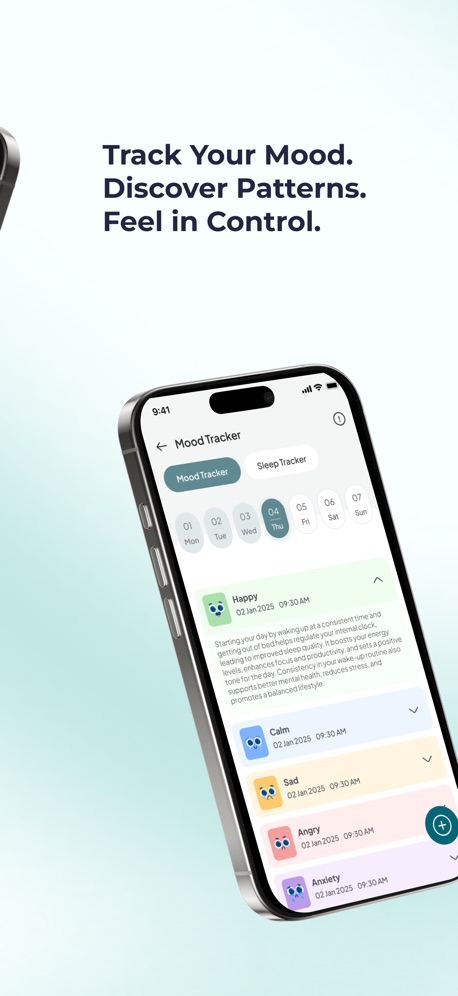
- Mood and sleep tracker with weekly and monthly trends and reports for your doctor or therapist
- Journal with text, voice notes and images
Pros
- Helps with the stress that makes plans collapse
- A plan that adapts to your energy
- Covers ADHD, anxiety, depression and 6 other conditions
Cons
- Not a task or grocery list app; keep a simple list alongside it
Pricing
Free to download with a 7-day free trial, then $49.99/year or $8.99/month (U.S.). Get it on the App Store or Google Play, or learn more at soothfy.com.
Best for
- People who plan well but struggle to follow through
- ADHD with anxiety or low mood
- Anyone who feels guilty about unfinished lists


Try Soothfy free for 7 days
A daily plan that gets lighter on hard days, plus 2-minute CBT relief.
Free to download · 7-day free trial · soothfy.com


2. TickTick: Closest All-in-One Swap
TickTick covers almost everything Any.do does (tasks, lists, reminders and a calendar) and adds a Pomodoro timer and habit tracker. It has a 4.9-star rating from about 47,000 U.S. App Store reviews, and its Premium plan costs less than Any.do's.
Key features
- Tasks, lists and smart filters
- Calendar views
- Pomodoro focus timer
- Habit tracker
Pros
- More features for less money
- Free plan that doesn't expire
Cons
- Busy interface
- Some features need Premium
Pricing
Free; Premium $3.99/month or $35.99/year.
Best for
- Any.do users who want more for less
3. Todoist: Best for Fast, Reliable Task Capture
Todoist is the gold standard for adding tasks fast in plain language, like "call mum Sunday 6pm". It's clean, reliable and works everywhere. It's weaker at showing time, so ADHD users often pair it with a timer or planner. See our Todoist alternatives for ADHD for the trade-offs.
Key features
- Natural-language dates
- Projects, labels and filters
- Integrations with email and calendar
Pros
- Fast capture
- 4.8 stars from about 131,000 U.S. reviews
Cons
- Lists can grow overwhelming
- Pro price rose in December 2025
Pricing
Free; Pro $7/month or $5/month billed yearly.
Best for
- People who need a trusted inbox
4. Microsoft To Do: Best Free Daily Planner
Microsoft To Do's My Day view starts empty each morning and suggests tasks from your lists, very similar to Any.do's daily planning, but completely free. Shared lists make it useful for households too.
Key features
- My Day daily list
- Suggestions from upcoming tasks
- Shared lists
- Outlook integration
Pros
- Free with no paywall
- 4.7 stars from about 270,000 U.S. reviews
Cons
- Basic compared with Any.do Premium
- No timer or habits
Pricing
Free.
Best for
- People who want daily planning for free
- Families sharing lists
5. Google Tasks: Simplest Option for Google Users
Google Tasks is minimal: lists, subtasks and due dates that show up in Google Calendar and Gmail. If Any.do felt like too much, the simplicity can be a relief.
Key features
- Tasks inside Gmail and Calendar
- Subtasks and due dates
- Starred tasks
Pros
- Free
- Very simple
- 4.8 stars from about 108,000 U.S. reviews
Cons
- Few features
- No timer, habits or planning ritual
Pricing
Free.
Best for
- Google users who want the bare minimum
6. Routinery: Best for Step-by-Step Routines
If you mainly used Any.do for recurring routines, Routinery is purpose-built for that. It walks you through each step of a routine with its own timer, which helps ADHD brains that drift off halfway through. See our Routinery alternatives too.
Key features
- Timed routine steps
- Routine templates
- Progress reports
Pros
- Great for mornings and evenings
- 4.7 stars from about 18,000 U.S. reviews
Cons
- Not a general to-do list
- Premium for full features
Pricing
Free; Premium from $36/year (U.S. App Store).
Best for
- People who need help with routines
7. Tiimo: Best Visual Planner
Tiimo shows your day as a visual timeline with icons and a focus timer, designed with ADHD and autism experts. Its AI co-planner turns a brain dump into a schedule, and you can share up to 5 profiles. More options: Tiimo alternatives.
Key features
- Visual daily timeline
- AI co-planner
- Widgets and focus timer
- Family profiles
Pros
- Makes time visible
- Built for neurodivergent brains
Cons
- Best features in Tiimo Pro
Pricing
Free plan; Tiimo Pro with a 7-day trial on the yearly plan.
Best for
- People with time blindness
- Families
Which One Should You Pick?
| What you used Any.do for | Best alternative |
|---|---|
| Everything in one app | TickTick |
| Quick task capture | Todoist |
| Daily planning, for free | Microsoft To Do |
| Simple lists with Gmail and Calendar | Google Tasks |
| Morning and evening routines | Routinery |
| Seeing your day visually | Tiimo |
| Following through when stressed | Soothfy |
Building a Daily Planning Habit That Survives Bad Days
Any.do's daily planner is a good idea: a few minutes each morning to decide what matters. The problem for many people is consistency. These tweaks help, whichever app you choose:
- Anchor it. Plan right after something you already do every day, like your first coffee. That's the idea behind Soothfy's Anchor Habits.
- Keep it to 2 minutes. Pick three tasks, no more.
- Have a bad-day version. On hard days, pick one task and one kind thing for yourself.
- Calm first, plan second. If you wake up anxious, a 2-minute breathing exercise makes planning easier.
- Review weekly, not hourly. Checking constantly feeds anxiety.

Free vs Paid: Is a Premium Planner Worth It?
For many people, a free app (Microsoft To Do or Google Tasks) plus one paid tool that fixes their main problem is better value than one expensive all-in-one. If time blindness is the issue, pay for a visual planner. If starting is the issue, pay for support like Soothfy. If the issue is simply organization, a free list may be all you need.
What Any.do Does Well
Before you switch, it's worth knowing what you'd be giving up. Any.do's strengths are real:
- One place for everything. Tasks, grocery lists, calendar events and reminders live together, so you don't need to remember which app holds what.
- A daily planning prompt. The app nudges you to review your day, which helps if you forget to plan at all.
- Shared lists. Households can share grocery and chore lists.
- Cross-platform. It works on iPhone, Android and the web.
If those features are the reason you chose Any.do, look for alternatives that keep them. TickTick keeps almost all of them; Microsoft To Do keeps daily planning and shared lists for free.
Any.do vs the Top Alternatives at a Glance
| Feature | Any.do | TickTick | Microsoft To Do | Tiimo |
|---|---|---|---|---|
| Daily planning prompt | Yes | Partial (Today view) | Yes (My Day) | Yes (AI co-planner) |
| Calendar view | Yes | Yes | No | Yes (timeline) |
| Focus timer | No | Yes | No | Yes |
| Habit tracking | Limited | Yes | No | Routines |
| Shared lists | Yes | Yes | Yes | Family profiles |
| Free plan | Yes, limited | Yes | Fully free | Yes |
Based on each app's U.S. App Store listing and official site, November 2026.
Common Mistakes When Switching Planner Apps
- Copying everything over. Moving hundreds of old tasks recreates the same overwhelm in a new app. Move only what's due soon.
- Switching every few weeks. New apps feel exciting, and ADHD brains love novelty, but constant switching means no system ever settles. Commit to one for at least a month.
- Choosing by features, not problems. Pick the app that fixes your biggest daily frustration, not the one with the longest feature list.
- Ignoring the emotional side. If you avoid your planner because it makes you anxious, a new planner won't fix that on its own.
A Simple Setup for People With ADHD
If you're not sure where to start, this setup works for many people: one free list app (Microsoft To Do or Google Tasks) for capturing everything, a visual or timer tool only if time blindness is a big issue, and Soothfy for the moments you freeze, with Anchor Habits that make small daily actions automatic. Keep it to two apps if you can. Every extra app is one more thing to remember to open.
Signs It's Time to Switch
- You open the app, see the list and close it again without doing anything
- You've stopped using the daily planner but still pay for Premium
- You keep a second list somewhere else because Any.do feels cluttered
- You feel more stressed after planning than before
- You mostly use one feature, like grocery lists, that a free app does just as well
If two or more sound familiar, test one alternative for two weeks alongside Any.do, then cancel whichever you open less. And if the honest answer is that no planner gets opened on hard days, start with the hard days themselves: a 2-minute calming habit often does more than a new app. Our guide to ADHD burnout explains why planning collapses when you're running on empty.
Key takeaways
- Any.do Premium is listed at $9.99/month or $59.99/year in the U.S.; several alternatives cost less or nothing.
- TickTick is the closest all-in-one swap; Microsoft To Do is the best free daily planner.
- Routinery suits routines, Tiimo suits visual planners and Todoist suits fast capture.
- If plans fall apart because of stress, not structure, Soothfy helps with 2-minute CBT relief and Anchor Habits.
Final Verdict
Choose TickTick for the closest all-in-one replacement, Microsoft To Do if you want it free, and Routinery or Tiimo if routines or time blindness are your main challenge. If your plans keep collapsing on stressful days, add Soothfy to handle the part no planner can.
More guides: Todoist Alternatives for ADHD, Fabulous Alternatives, Productive Alternatives, ADHD Waiting Mode and ADHD Daily Routine.
Plans keep falling apart?
Download Soothfy free and build habits that survive bad days.
Free to download · 7-day free trial · soothfy.com
Any.do Alternatives: FAQs (2026)
1. What is the best Any.do alternative in 2026?
For a like-for-like swap, TickTick or Todoist. For something free, Microsoft To Do or Google Tasks. For routines, Routinery. If you're leaving because daily planning keeps falling apart on stressful days, Soothfy helps with the overwhelm behind it.
2. How much does Any.do cost?
Any.do's U.S. App Store description lists Premium at $9.99 a month, $26.99 for 6 months or $59.99 a year, with a 7-day trial on the yearly plan.
3. Is there a free alternative to Any.do?
Yes. Microsoft To Do and Google Tasks are completely free. TickTick, Todoist, Tiimo and Routinery have free plans.
4. What is the closest app to Any.do?
TickTick is the closest overall: tasks, calendar, reminders and lists in one app, plus a focus timer and habit tracker, at a lower Premium price.
5. Which Any.do alternative is best for families?
Microsoft To Do and Google Tasks make shared lists easy and free. Tiimo lets you share up to 5 profiles, which suits families with neurodivergent members.
6. Which Any.do alternative is best for ADHD?
It depends on the problem. Tiimo helps with time blindness, Routinery with routines, TickTick with focus timers, and Soothfy with overwhelm and follow-through.
7. Does Any.do have a daily planning feature?
Yes. Any.do's daily planner prompts you to review and plan your tasks each day. Microsoft To Do's My Day and Sunsama offer similar daily rituals.
8. Can I move my tasks out of Any.do?
Any.do lets you export or share lists, and several apps can import from text or CSV. For ADHD, it's often better to move only active tasks and start fresh.
9. Why might Any.do not work for ADHD?
Some users find the app busy, the free plan limited, and daily planning hard to keep up. A plan you can't stick to on hard days quickly turns into guilt.
10. Can an app help me follow through on my plans?
Yes. Soothfy ties small actions to Anchor Habits you already do and gives you 2-minute CBT relief when you freeze. Download it on the App Store or Google Play.
Sources
- Any.do on the U.S. App Store
- TickTick pricing 2026 (Lifestack)
- Todoist: Pro pricing update
- Microsoft To Do on the U.S. App Store
- Google Tasks on the U.S. App Store
- Tiimo on the U.S. App Store
This article is for information only and is not medical advice. Prices and features change often; check each app store listing before you buy. Last updated November 14, 2026. Soothfy: soothfy.com