Best one sec App Alternatives in 2026: 7 Screen Time Apps Compared
By Soothfy Team ·
Looking for a one sec alternative? We compare the 7 best screen time and app blocker apps in 2026, from free pauses to physical blockers, with real prices.
one sec has one of the smartest ideas in screen time apps: before a distracting app opens, it asks you to take a slow breath. That tiny pause is often enough to break the autopilot reach for Instagram or TikTok. It has 4.8 stars from about 24,000 U.S. App Store reviews and works on iPhone, Android and Mac.
But the free version covers only one app, Pro costs
9.99 a year or more (Habit Doom), and some people find they breathe and then open the app anyway. This guide compares the 7 best one sec alternatives in 2026, from free pauses to hard blocks.
Quick answer: the best one sec alternatives in 2026
🥇 Soothfy: best for turning the pause into real calm, with 2-minute CBT relief
ScreenZen: best free alternative
Opal: best for strict schedules
Brick: best physical blocker
Jomo: best scheduled blocking on iPhone
ClearSpace: best for screen time goals
Forest: best positive reward for staying off your phone
About Soothfy (who wrote this)
This guide is written by the team behind Soothfy, a mental health app for ADHD, anxiety, depression, stress, insomnia, OCD, PTSD, panic attacks and addictive habits. Soothfy is our product, so we say clearly where another app is the better pick. Download Soothfy on the App Store or Google Play.
one sec Alternatives Compared
App
Mechanism
U.S. rating
Price (U.S.)
🥇 Soothfy
Calms the urge
—
$49.99/yr (free trial)
ScreenZen
Pause + prompt
4.9 (≈54K)
Free (tips)
Opal
Schedules + Hard Mode
4.7 (≈92K)
$99.99/yr
Brick
Physical block
4.9 (≈61K)
~$59 one-time
Jomo
Scheduled windows
4.8 (≈2.6K)
$29.99/yr
ClearSpace
Pause + goals
4.7 (≈9K)
Free · Premium
Forest
Focus reward
4.8 (≈50K)
From $35.99/yr
one sec (for reference)
Breathing pause
4.8 (≈24K)
9.99/yr · $99.99 lifetime
Ratings from the U.S. App Store (Nov 2026); prices from Habit Doom comparisons, published by a competing app. Check the App Store before buying.
What one sec Does Well
A calming pause instead of a hard block
Open-attempt counts that show how often you reach for an app
Works across iPhone, Android and Mac
A lifetime option for people who dislike subscriptions
Why People Look for a one sec Alternative
Free plan covers only one app.
The pause becomes routine. After a few weeks, some people tap through without thinking.
Wanting strict blocks for bedtime or work hours.
The urge is emotional. If scrolling is how you cope, one breath doesn't change much.
How We Chose
Each option reduces phone distraction with a different mechanism
Free and one-time options included
Ratings checked on the U.S. App Store today
Soothfy is our app and isn't a blocker. For a direct swap, ScreenZen is the best free choice.
The 7 Best one sec Alternatives in 2026
1. Soothfy: Best for Turning the Pause Into Real Calm
one sec's clever idea is the breath: before Instagram opens, you take one slow breath and decide. But one breath is short, and if you're reaching for your phone because you're anxious, bored or overwhelmed, the feeling is usually still there after it. Soothfy extends that moment into something that actually helps.
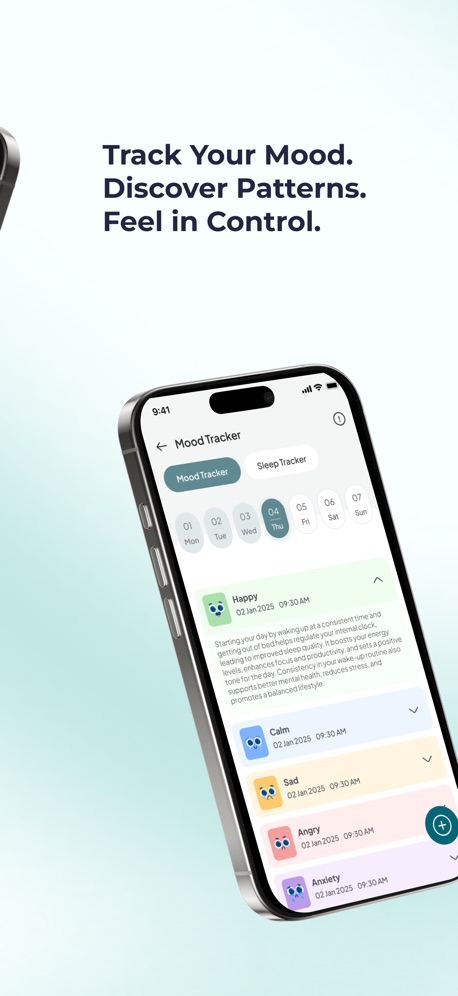
When you notice the urge, open Instant Relief, tap how you feel and get 3 CBT exercises with a 2-minute timer. A personalized 30-day plan of 2- to 5-minute activities, tied to Anchor Habits, gives you better defaults at your usual scroll times, and the mood and sleep tracker shows how phone habits and sleep connect.
Compared with one sec: one sec interrupts the reach; Soothfy helps with the reason behind it. They work well together.
Key features
Instant Relief: pick your exact symptom, like overwhelm or a racing mind, and get 3 CBT exercises with a 2-minute timer
Personalized 30-day plan of 2- to 5-minute activities that adapts to your mood and energy
Anchor Habits: new habits tied to routines you already do, like making coffee
Mood and sleep tracker with weekly and monthly trends and reports for your doctor or therapist
Journal with text, voice notes and images
Pros
Two minutes of real calm instead of one breath
Works on the cause of scrolling
Daily habits to replace scrolling
Cons
Not an app blocker
Pricing
Free to download with a free trial, then $49.99/year or $8.99/month (U.S.). Get it on the App Store or Google Play, or learn more at soothfy.com.
Best for
People who scroll when anxious or overwhelmed
ADHD brains that need a better default
Start with a 2-minute check-inA plan that adapts to you
Make the breath count
Try Soothfy free: 2-minute CBT relief when you reach for your phone.
ScreenZen pauses distracting apps with an "Is this important?" prompt, plus limits, cooldowns and an optional strict block. It's free, funded by tips, with 4.9 stars from about 54,000 U.S. App Store reviews. See our ScreenZen alternatives.
Compared with one sec: A prompt instead of a breath, with more settings, all for free.
Opal adds blocking schedules, time limits and a Hard Mode that can't be turned off until the session ends. It has 4.7 stars from about 92,000 U.S. reviews. See our Opal alternatives.
Compared with one sec: Stricter and more structured, but far more expensive.
Key features
Schedules and limits
Hard Mode (Pro)
Focus reports
Pros
Strong for strict limits
Cons
Expensive Pro plan
Pricing
Free plan with one rule; $99.99/year or $399 lifetime (Habit Doom).
Best for
People who need firm blocks
4. Brick: Best Physical Blocker
Brick is a small device you tap your phone on to block apps; to unblock, you tap it again. It has 4.9 stars from about 61,000 U.S. reviews.
Compared with one sec: A hard block that needs the device to undo, instead of a soft pause.
Jomo blocks chosen apps during scheduled windows, like work hours or bedtime, with focus sessions and insights. It has 4.8 stars from about 2,600 U.S. reviews and is iPhone-only.
Compared with one sec: Time-based blocking instead of a pause on every open.
Key features
Scheduled windows
Focus sessions
Insights
Pros
Affordable lifetime option
Cons
iPhone only
Pricing
$5.99/month, $29.99/year or $99.99 lifetime (Habit Doom).
Best for
People whose distraction follows a routine
6. ClearSpace: Best for Screen Time Goals
ClearSpace adds a mindful pause before apps and helps you set and track screen time goals over time. It has 4.7 stars from about 9,000 U.S. reviews.
Compared with one sec: Similar mindful pause with more focus on goals and progress.
Key features
Mindful pause
Goals
Progress tracking
Pros
Goal-focused
Cons
Premium for full features
Pricing
Free; Premium available (check the App Store).
Best for
People motivated by progress
7. Forest: Best Positive Reward for Staying Off Your Phone
Forest grows a virtual tree while you focus; leave the app and it dies. It turns phone-free time into something you build rather than something you're blocked from. It has 4.8 stars from about 50,000 U.S. reviews. See our Forest alternatives.
Compared with one sec: Rewards focus rather than interrupting app opens.
Key features
Focus timer
Virtual forest
Plant with friends
Pros
Positive and fun
Cons
Doesn't block specific apps
Pricing
Plans from $5.99/month or $35.99/year (U.S. App Store).
Best for
People motivated by rewards
Why a Pause Works, and When It Doesn't
Most phone checking is automatic: your hand reaches for the phone before you've decided to. A pause works by turning an automatic action into a conscious choice. That's powerful, but it relies on you making a different choice in that moment. When you're tired, stressed or avoiding something, the easier choice usually wins.
That's why pauses work best with a ready-made alternative. Decide in advance what you'll do instead, like a stretch, a glass of water or a 2-minute breathing exercise, so the choice is easy when the pause appears. The National Institute of Mental Health lists being easily distracted among common ADHD symptoms, and a planned alternative makes a bigger difference than willpower.
Choose Your Mechanism
If you…
Try
Check apps on autopilot
one sec or ScreenZen
Need firm limits at set times
Jomo or Opal
Always find a workaround
Brick
Respond to rewards
Forest
Scroll to escape stress or tasks
Soothfy, plus any blocker
Mood + sleep trackerYour personal goals
What to Look For in a one sec Alternative
Before you switch, decide what matters most. The best screen time app is the one that fits your daily life, not the one with the longest feature list.
Friction strong enough for you
Coverage for your most-used apps
Schedules for risky times
A fair price or free tier
Reports that show progress
How to Switch From one sec
Keep your one sec settings on your top app for a week while trying the new tool on the others, then compare which you bypass less.
Switching apps can feel like a fresh start, and that novelty is motivating at first. To make the change stick, attach the new app to something you already do every day, keep your expectations small for the first week, and check in after 14 days: are you using it, and is it helping? If not, it's fine to try the next option on this list.
Key takeaways
one sec is free for one app; Pro is 9.99/year or $99.99 lifetime.
ScreenZen is the best free alternative; Opal and Brick are strictest.
Pauses work best when you've planned what to do instead.
Soothfy turns the urge to scroll into a 2-minute CBT reset.
Final Verdict
For free, choose ScreenZen. For strict limits, Opal or Brick. For schedules on iPhone, Jomo. For rewards, Forest. And to make the pause actually calm you, add Soothfy.
ScreenZen is the best free alternative with a similar pause, Opal is best for strict schedules, Brick for physical blocking and Jomo for scheduled blocking on iPhone. Soothfy is our pick if you want the breath before an app to turn into real calm.
2. How much does one sec cost?
one sec is free for one app. Pro is listed at $6.99 a month, 9.99 a year or $99.99 lifetime, according to Habit Doom's October 2026 comparison.
3. Is there a free alternative to one sec?
ScreenZen is completely free, funded by optional tips. Apple Screen Time is built in and free.
4. How does one sec work?
When you open a chosen app, one sec shows a short breathing animation and asks whether you still want to continue. It also shows how many times you've tried to open that app.
5. Does a pause before opening apps actually work?
Adding friction interrupts automatic behavior, which can help reduce mindless checking. It works best when combined with something else to do instead.
6. Which alternative is strictest?
Brick and Opal's Hard Mode are the hardest to bypass.
7. Does one sec work on Android and Mac?
Yes. one sec works on iPhone, Android and Mac.
8. Which alternative works best with ADHD?
Gentle friction tools like one sec and ScreenZen help with autopilot checking. If you scroll to escape tasks or feelings, pair a blocker with something that helps with the urge, like Soothfy's 2-minute CBT exercises.
9. What's the best way to use screen time apps?
Start with your single most distracting app, add a pause or limit, charge your phone outside the bedroom, and pick a replacement habit for your biggest scroll times.
10. Can a breathing pause help anxiety?
A single breath can interrupt an impulse, but if you're anxious, a longer 2-minute exercise usually helps more. Soothfy's Instant Relief offers that; download it on the App Store or Google Play.
This article is for information only and is not medical advice. Prices and features change often; check each provider's website or app store listing before you buy. Last updated November 23, 2026. Soothfy: soothfy.com